
How to Prevent Deadlocks and Data Failures During Large-Scale Transfers

Updated: Sep 8
Deadlocks and data failures during large-scale transfers happen when large queries lock entire tables, bulk inserts fail across mismatched schemas, or an interrupted transfer forces a full restart. Sesame Software prevents this by chunking data by key range, checkpointing progress, and validating data at the source, so transfers of millions of records complete reliably without locking systems or losing progress.
At Sesame Software, preventing deadlocks and data failures isn’t just theory – it’s a practice we’ve refined for over three decades. Our platform was built specifically to tackle the complex challenges of large-scale data transfers, ensuring your critical data moves reliably and without interruption. Here’s what we’ve learned along the way, and how our solution keeps your data flowing smoothly.
Why Do Large Queries Cause Deadlocks?
Running a large query against millions of rows can lock up the database, causing other transactions to fail due to deadlocks. Sesame Software solves this by breaking data into manageable chunks by key range, reducing or eliminating row locks.
Why Isn’t a Simple Bulk Insert Fast Enough?
Sure, doing an INSERT INTO yyyyy SELECT * from xxxx is fast — but it only works if the source and target schemas are in the same DBMS instance. That’s rarely the case once cloud-based platforms like Salesforce or NetSuite are involved, where mismatched schemas cause common pipeline failures if they aren’t handled up front.
What Causes Data Corruption During Transfers?
Dumping data into flat files can lead to issues with wrapped text fields and out-of-range dates, which cause insert failures on the target system. Sesame Software’s ETL process protects data integrity by validating and handling these issues at the source, before they ever reach your destination.
What Happens When a Transfer Fails Halfway Through?
If a large data transfer fails, you risk locking the table in an indeterminate state — and getting a 2 a.m. pager alert. Sesame Software avoids this with a restartable data replication pipeline that chunks data by key range and checkpoints progress continuously, so a failure resumes from the last checkpoint instead of starting over.
How Do You Speed Up Transfers From Salesforce and NetSuite?
Many database tables include a LastUpdated column, which makes incremental copy far faster since only changed and new records are transferred. This works not just with traditional databases, but also with SaaS sources like Salesforce and NetSuite, as part of a well-designed data pipeline.
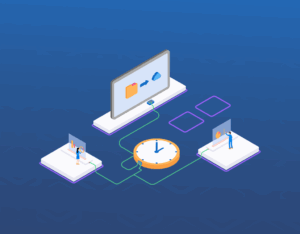
How Does Sesame Software Prevent These Failures?
At Sesame Software, we’ve built proprietary algorithms — backed by patented replication technology — to automate this process end to end. Our platform handles:
Chunking data by key range to prevent deadlocks on large tables.
Intelligent checkpointing to prevent all-or-nothing failures, so a failed job resumes instead of restarting.
Incremental copying for faster, more efficient updates, including reduced API calls when syncing from Salesforce.
Data integrity protection to eliminate corruption issues at the source.
Whether you’re working with Salesforce, NetSuite, or other SaaS data sources, our platform ensures smooth, secure data movement — even at enterprise scale, moving well over 100 million records per day for customers who can’t afford downtime.
Frequently Asked Questions
What causes deadlocks during large-scale data transfers?
Deadlocks typically happen when a single large query or bulk operation locks entire database tables while other transactions try to read or write the same rows. Running a query against millions of rows at once is a common trigger. Sesame Software avoids this by breaking transfers into smaller, key-range-based chunks so no single operation holds a lock long enough to block other processes.
Why can’t I just use a fast bulk INSERT INTO SELECT to move data?
A bulk INSERT INTO SELECT is only fast when the source and target schemas live in the same database instance, which is rarely true once cloud platforms like Salesforce or NetSuite are involved. Moving data between different systems requires handling schema differences, data type conversions, and connectivity limits that a same-instance copy never has to solve.
What happens if a large-scale transfer fails partway through?
Without checkpointing, a failed transfer can leave a table in an indeterminate state and force the entire job to restart from scratch. Sesame Software chunks data by key range and checkpoints progress continuously, so if a transfer fails, it resumes from the last successful chunk instead of starting over.
How do you prevent data corruption during large-scale transfers?
Data corruption during transfers often comes from dumping data into flat files, which introduces problems with wrapped text fields and out-of-range dates that cause insert failures downstream. Sesame Software validates and handles these issues at the source, before the data ever leaves the origin system, protecting data integrity throughout the transfer.
How does incremental replication reduce the risk of deadlocks and failures?
Incremental replication uses a LastUpdated column or equivalent change-tracking field to copy only new or changed records instead of the entire dataset on every run. This works for both traditional databases and SaaS sources like Salesforce and NetSuite, dramatically reducing the size and duration of each transfer and, with it, the risk of locking or failure.
Ready to Eliminate Deadlocks in Your Large-Scale Data Transfers?
Sesame Software’s patented replication technology has moved enterprise data reliably for over three decades, handling well over 100 million records per day without deadlocks, corruption, or all-or-nothing failures. Whether you’re synchronizing Salesforce, NetSuite, or on-premise databases, Sesame Software’s data replication platform keeps every large-scale transfer resilient and restartable.
Ready to see it for yourself? Book a demo with Sesame Software and learn how our platform keeps your large-scale data transfers reliable, from the first record to the last.
Related Resources


